Performance Percussion
The Ableton Live Performance Suite

Press GO once. Everything follows.

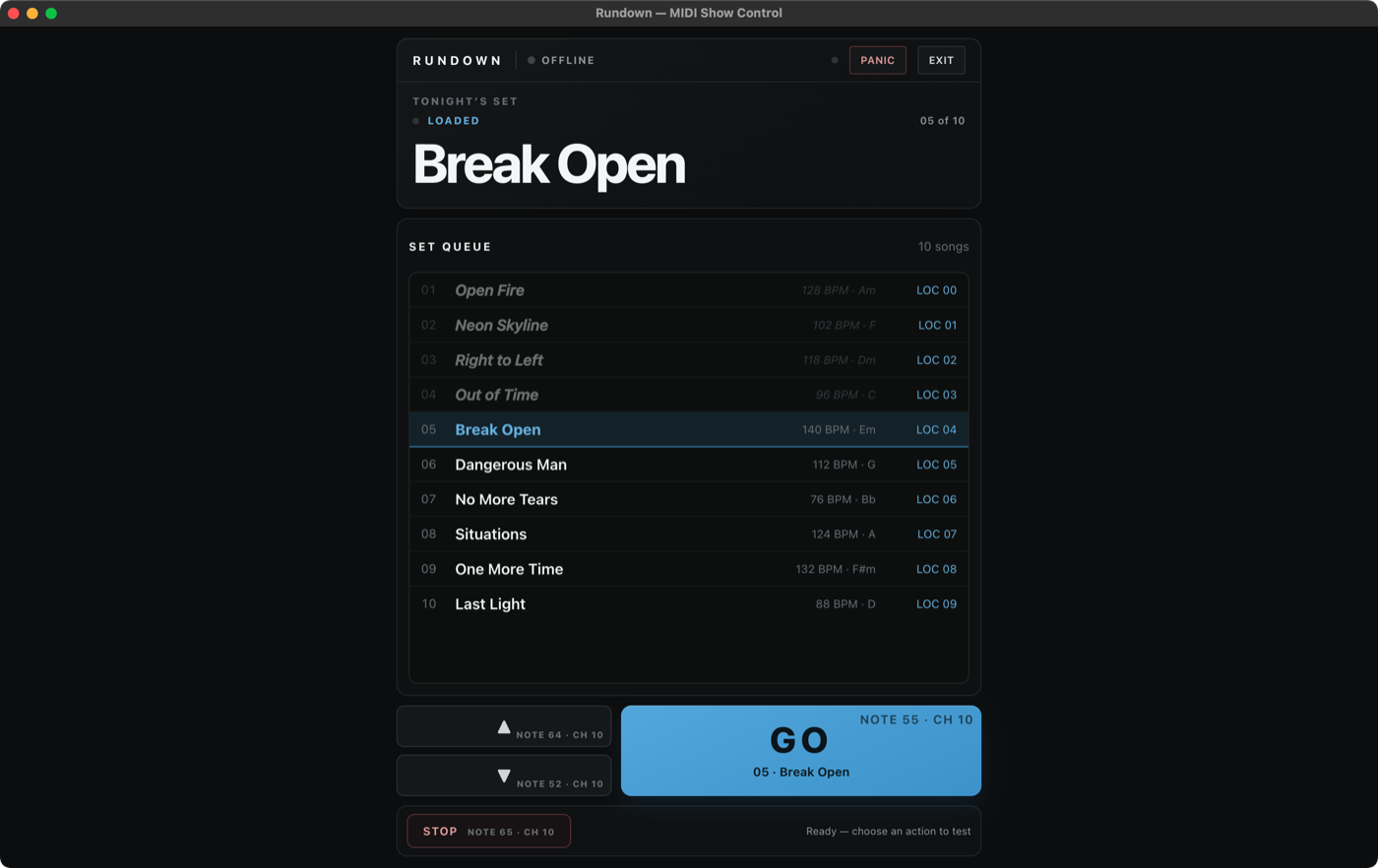
One setlist runs your whole rig. You build the show in Rundown, and when you move to the next song, everything moves with you — Ableton Live jumps to the right spot, your amp modeler loads the right preset, your drum pads switch to the right kit, and your switcher is already on the right page. Nobody bends down to tap-dance on a pedalboard between songs.

What actually happens when you hit GO

01 You press GO in Rundown

On the Mac, on a MIDI controller, or on a footswitch. That one press is the whole job.

02 Ableton Live jumps to the song

Rundown moves your session to the next song in tonight’s order — no scrolling the timeline mid-show.

03 Pathfinder delivers the messages

The song change becomes MIDI messages, and Pathfinder makes sure each one reaches the right device — and only that device.

04 smaRTPath carries them anywhere

Gear across the stage — or across the network — gets the same messages over rock-solid network MIDI. No cable run required.

05 Your gear is ready before the count-in

Backline and the editors have already put every device on the right patch, kit, and page for the song.

Who does what

Every app in the suite has one job, described the way a bandmate would say it. Use one on its own, or let Rundown drive all of them.

The show caller

Rundown

The center of the suite. It reads the songs already marked in your Ableton Live set, lets you build tonight’s order, and gives you a stage-sized GO button. Every other app takes its cues from Rundown — change the setlist here and the whole rig follows.

See Rundown →
The traffic director

Pathfinder

MIDI is how your Mac talks to your gear — and with a whole rig connected, those messages need directing. Pathfinder shows you every connection on one screen and routes each message to exactly the device it belongs to, so a preset change meant for your amp modeler never confuses your drum pads.

See Pathfinder →
The stage wiring

smaRTPath

Some gear isn’t plugged straight into your Mac — it’s across the stage on the network. smaRTPath handles network MIDI (RTP‑MIDI) with one click instead of a settings rabbit hole, so far-away gear behaves like it’s plugged in right next to you.

See smaRTPath →
The virtual tech

Backline

A guitar tech that never misses a cue. Backline knows every preset on your devices and which one each song needs. When the setlist advances, it switches your gear to the right patch — the change you’d otherwise make by hand, made for you, on time, every song.

See Backline →
The gear programmers

The Performance Editors

Big-screen editors for the hardware in your case — Line 6 Helix, RJM Mastermind, Roland SPD‑SX — so you set up kits, presets, and switch pages on a Mac instead of menu-diving on a tiny screen. Build the sounds here once; the setlist puts them to work every night.

See the editors →
The point

Why it matters

Any one of these apps saves you a chore. Together they remove the whole category: the between-song scramble. You programmed the show once — the suite remembers it, so on stage your only job is playing it.

Join the Rundown beta →

Built for how bands actually work

You already do the hard part: you program your songs in Ableton Live, dial in your presets, and build your kits. What eats rehearsals and wrecks transitions is everything around that — remembering which patch goes with which song, punching gear between tunes, re-doing it all when the set order changes an hour before doors.

The suite treats your setlist as the single source of truth. Reorder the show in Rundown and you don’t re-program anything — the right patches, kits, and session jumps simply happen in the new order. Sub a song out at soundcheck? Same thing. The work you did once stays done.

And because each app stands on its own, you can start small — just Rundown for setlists, or just an editor for your Helix — and let the rig grow into a suite when you’re ready.

← All apps