


 Rundown In Beta
Run your live show from a setlist — built for Ableton Live.
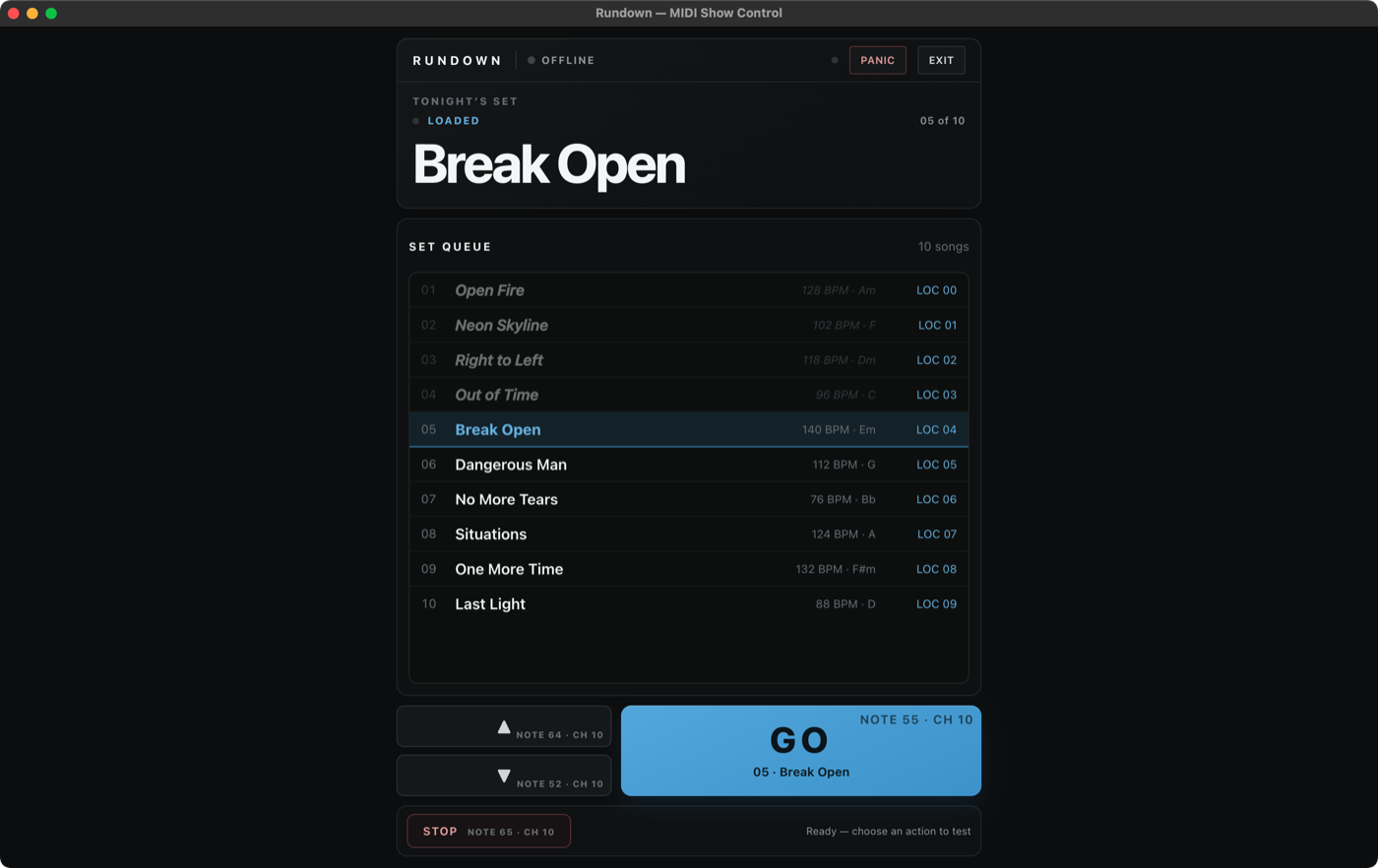
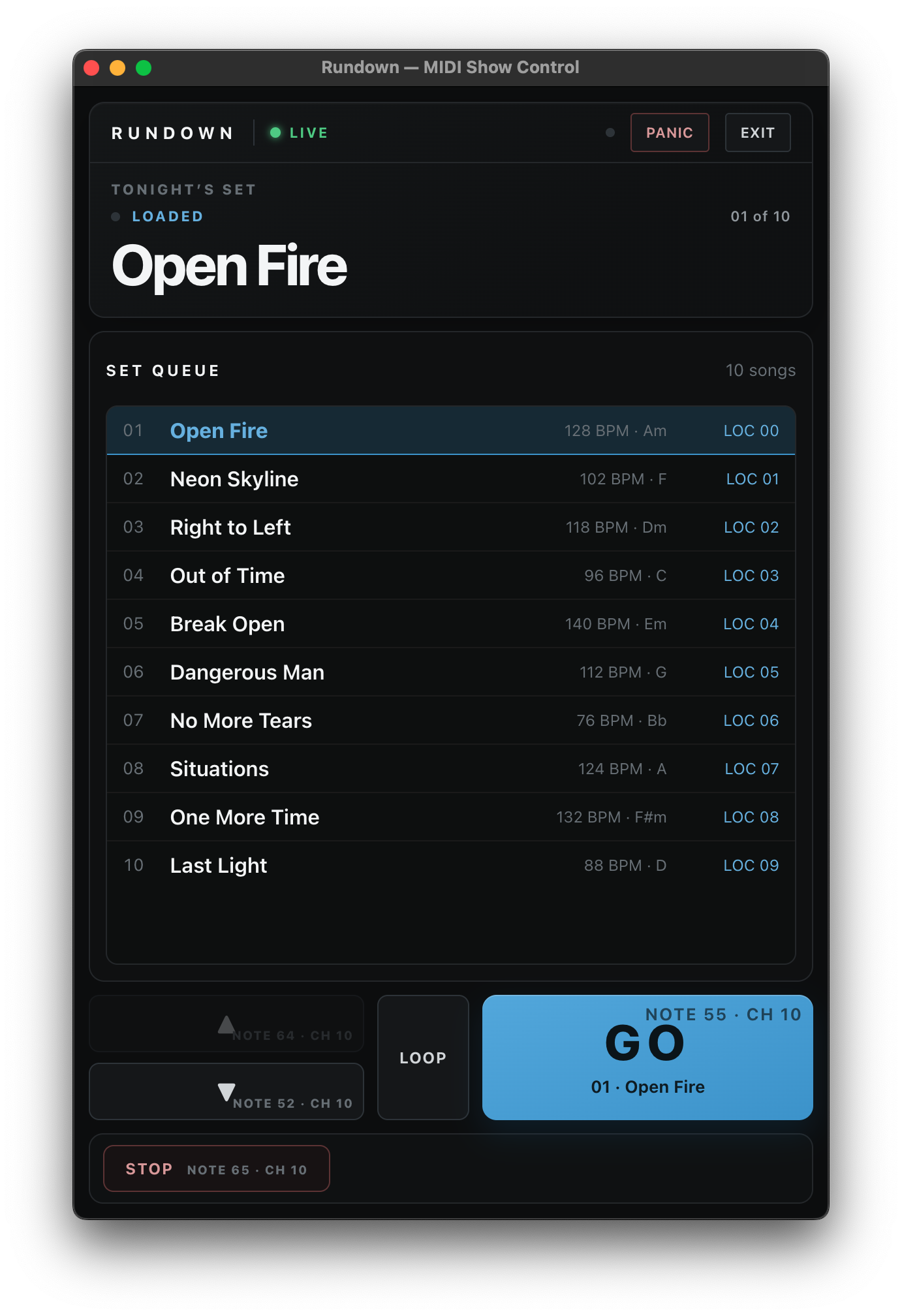
Rundown reads the song markers already in your Ableton Live set and turns them into a setlist you can run from the stage: big GO, previous, next, and a deliberate two-press Stop, with what’s now and what’s next always on screen.
DEMO VIDEO
A real-session walkthrough is being filmed.
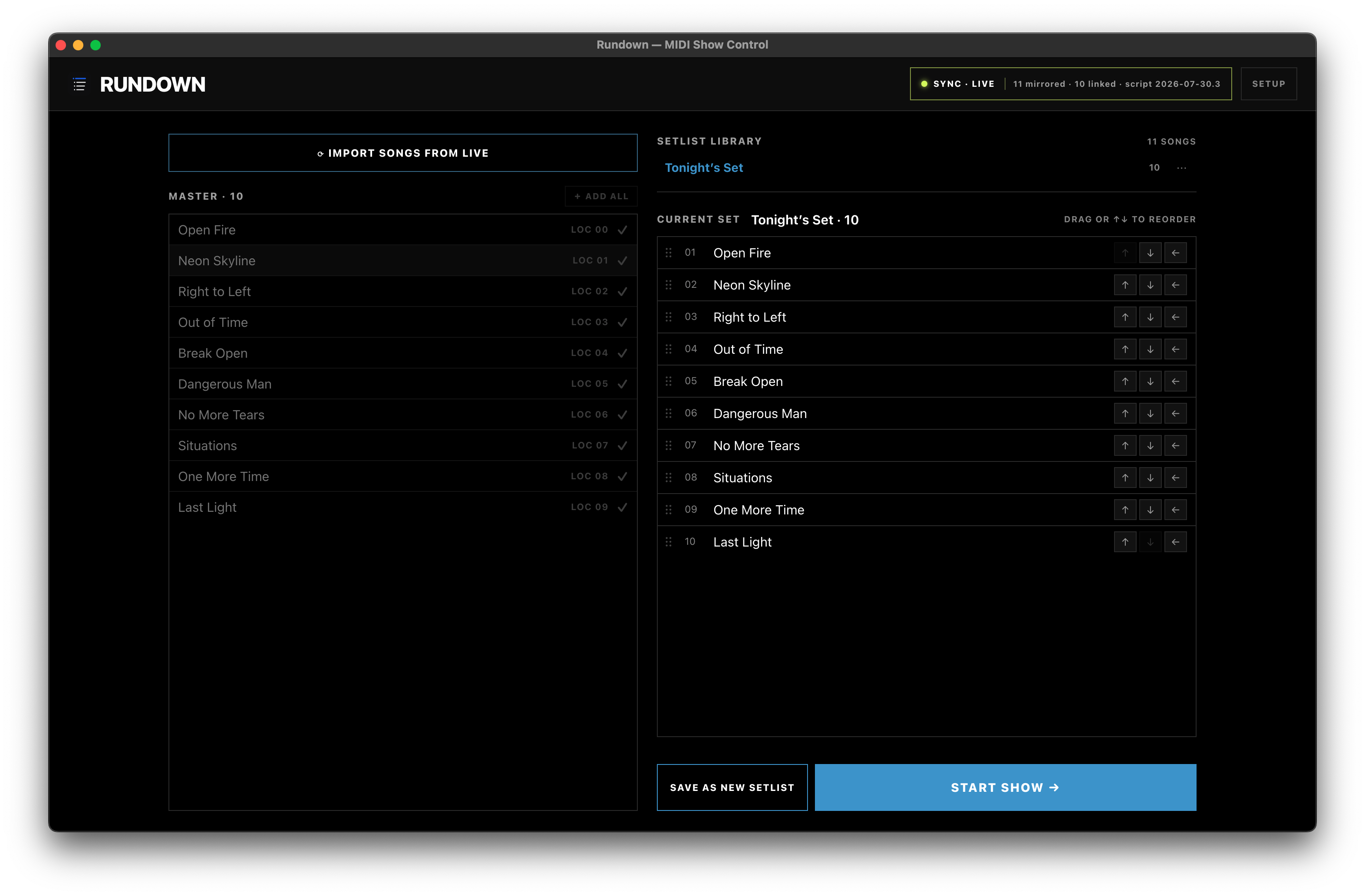
The finished 60–90 second demo will show locator import, set reordering, GO, vamp, and the deliberate two-press Stop. Until it is published, the screenshots below are the verified product surface.
Build the set, then run the show.
One view for getting tonight’s order right. Another for keeping the performance moving under pressure.
What it does
- Imports the songs already marked in your Live set — nothing to re-type.
- Build as many setlists as the gig needs without losing your master song list.
- A Perform view made for the stage: big buttons, and a two-press Stop so a stray tap can’t end a song.
- Vamp a section until the cue, then move on cleanly.
- Map GO, previous, next, and Stop to any MIDI controller or footswitch.
- A first-run wizard sets up the link to Live in one click — and tells you immediately if it ever drops.
- Rundown runs alongside Live; in-set plugin support remains in development.
Import once, run the show forever
You already mark your Live set with locators. Rundown reads them, and from there you’re building setlists instead of re-typing a song list you already made once. Your set order on stage doesn’t have to match the session’s timeline order; rearrange the show on gig day and the Live set stays untouched.
The Perform view is a tall remote that reads from across the room, with GO to advance and the queue always visible, so whoever is running the show never has to guess what is next.
Details
| Runs on | Mac |
|---|---|
| Works with | Compatibility testing is in progress across Live versions and editions. The final supported matrix will be published before paid release. |
| Setup | One-click install, built in |
| Price | To be finalized after beta — see Pricing |
Questions people ask about Rundown
Do I need Ableton Live to use Rundown?
Yes. Rundown reads the locators already in your Ableton Live set and runs alongside Live; it does not replace it. In-set plugin support is still in development.
Which versions of Ableton Live are supported?
Compatibility testing is in progress across Live versions and editions. The final supported matrix will be published before paid release.
Do I have to re-type my song list?
No. Rundown imports the songs already marked in your Live set. You can build as many setlists as the gig needs, and reordering the show never touches the Live session timeline.
Can I run Rundown from a footswitch or MIDI controller?
Yes. GO, previous, next and Stop can be mapped to any MIDI controller or footswitch. Stop is a deliberate two-press action so a stray tap can't end a song.
Does Rundown run on Windows?
Not currently. Rundown is a Mac app.
How much does Rundown cost?
Rundown is in closed beta and not on sale yet. The current estimate is a one-time $25 founding-window license, about $50 afterwards, with no subscription. See Pricing or join the beta.
Written by Vince Romanelli, working percussionist and founder of Performance Percussion. Last updated August 18, 2026.