


 Pit In Beta
Marimba, vibes, chimes and the whole front ensemble — played from one MIDI keyboard.
The instruments you can’t bring outside — plug in, and play. Pit turns any MIDI keyboard into a full front ensemble for schools, theatre pits, and marching programs. The sounds are built in. From download to downbeat.
Choose it. Build it. Play it.
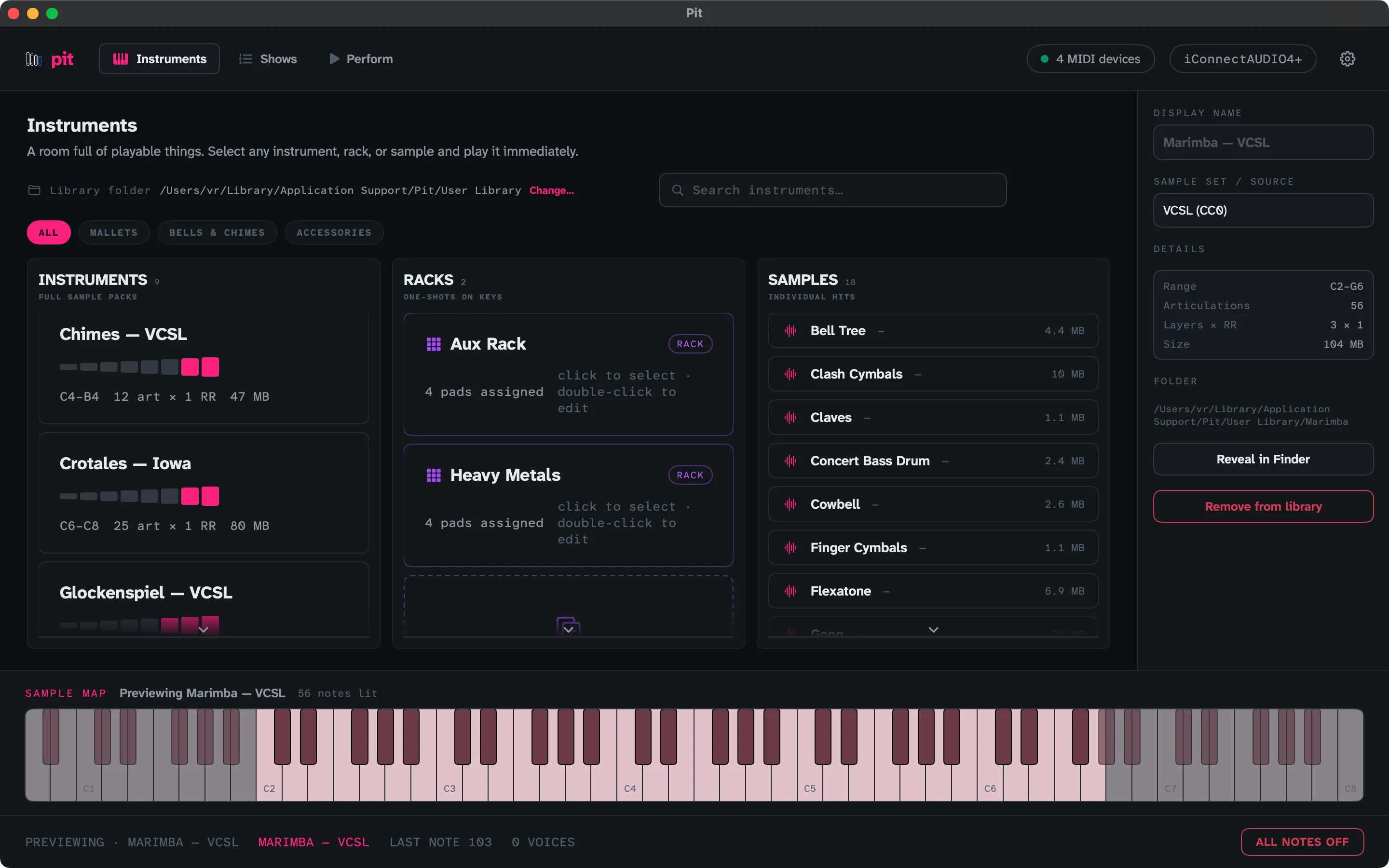
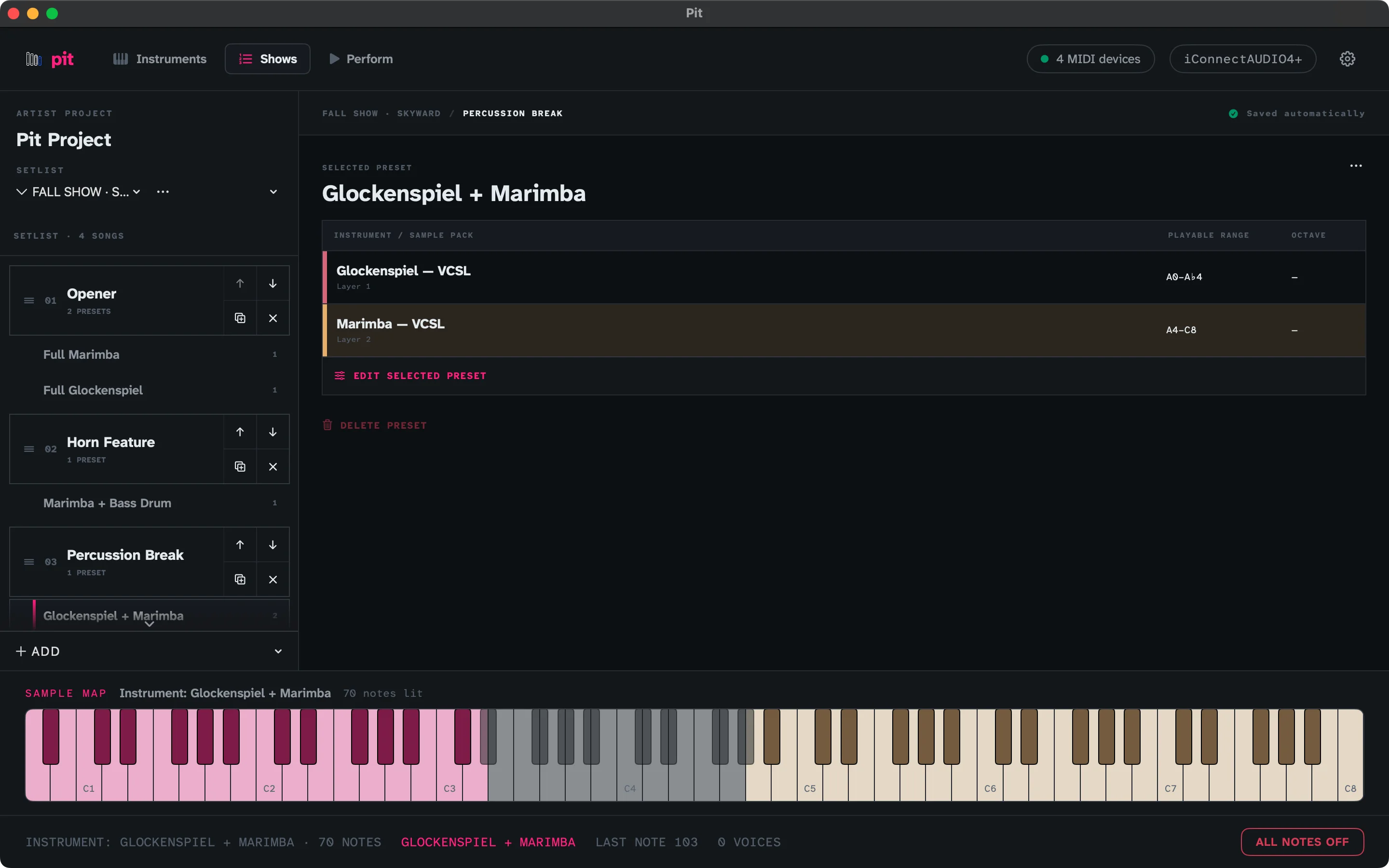
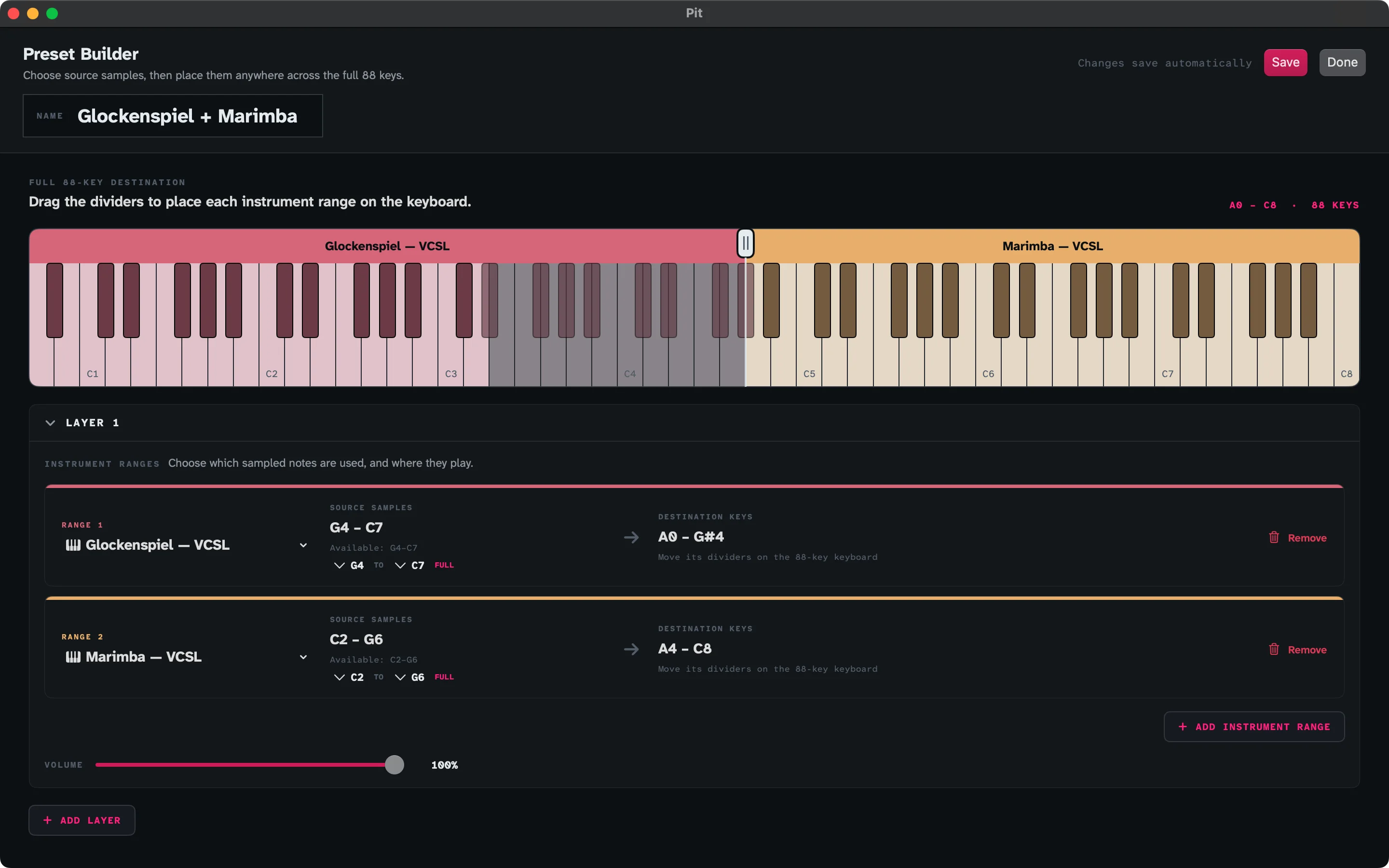
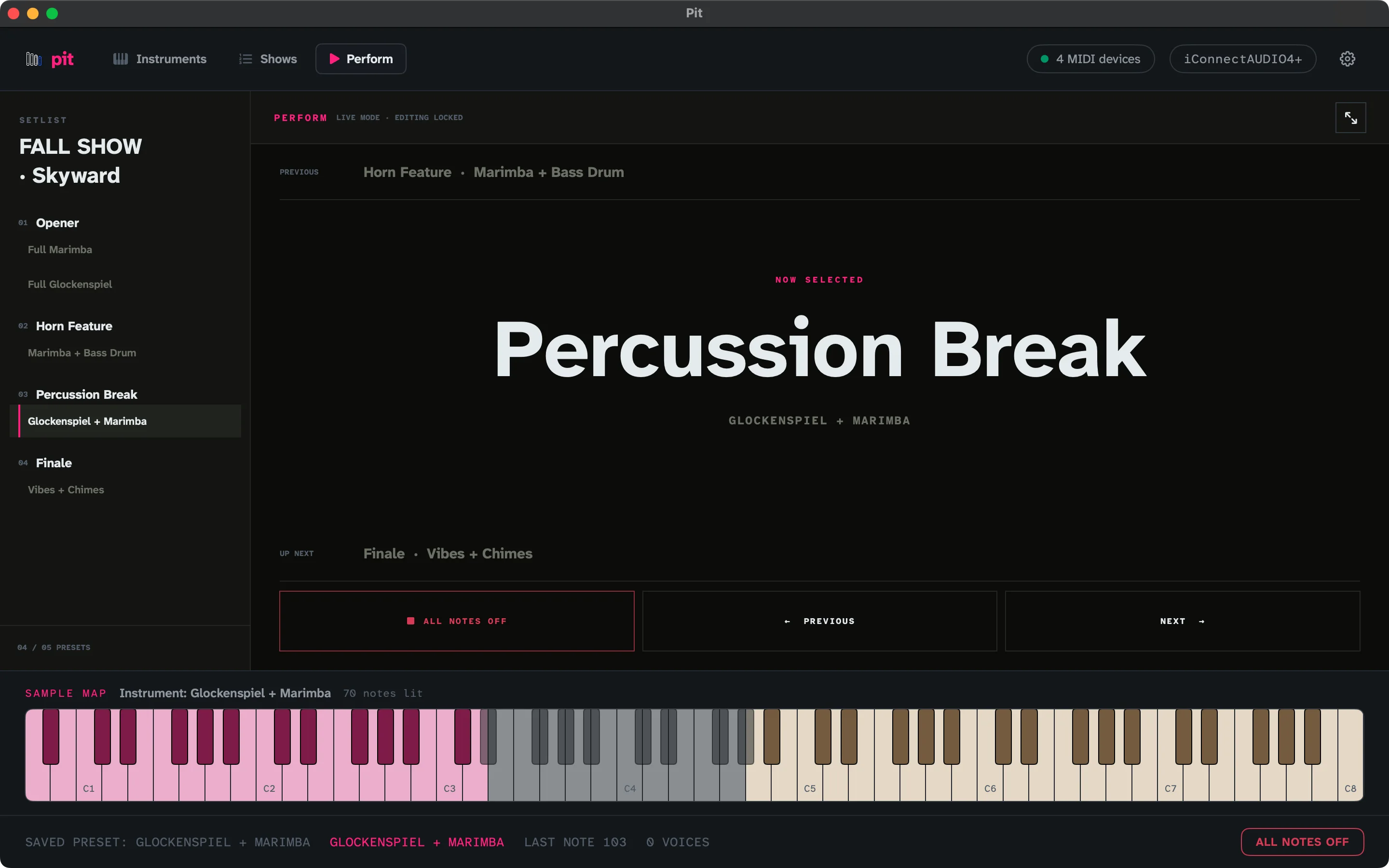
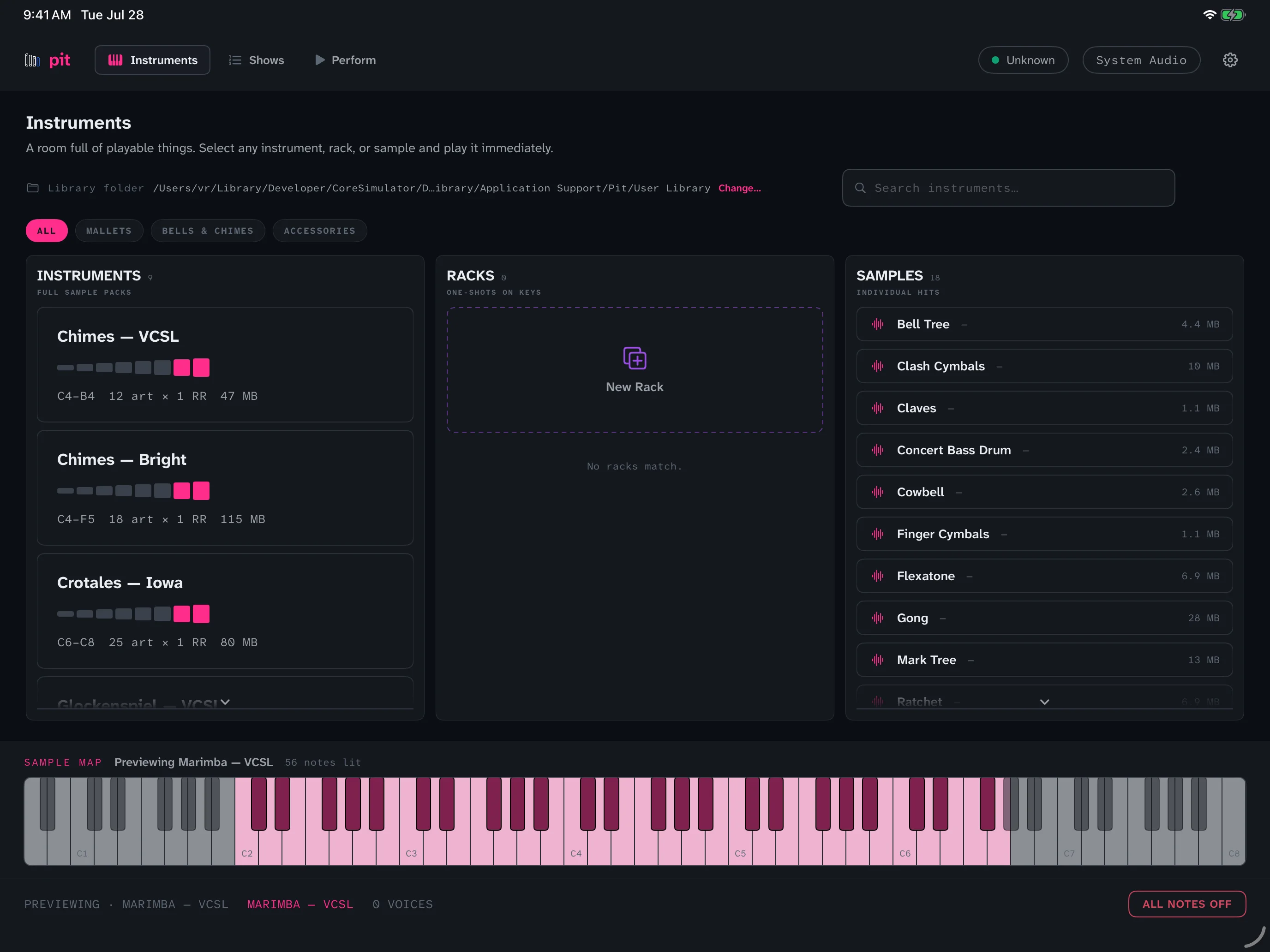
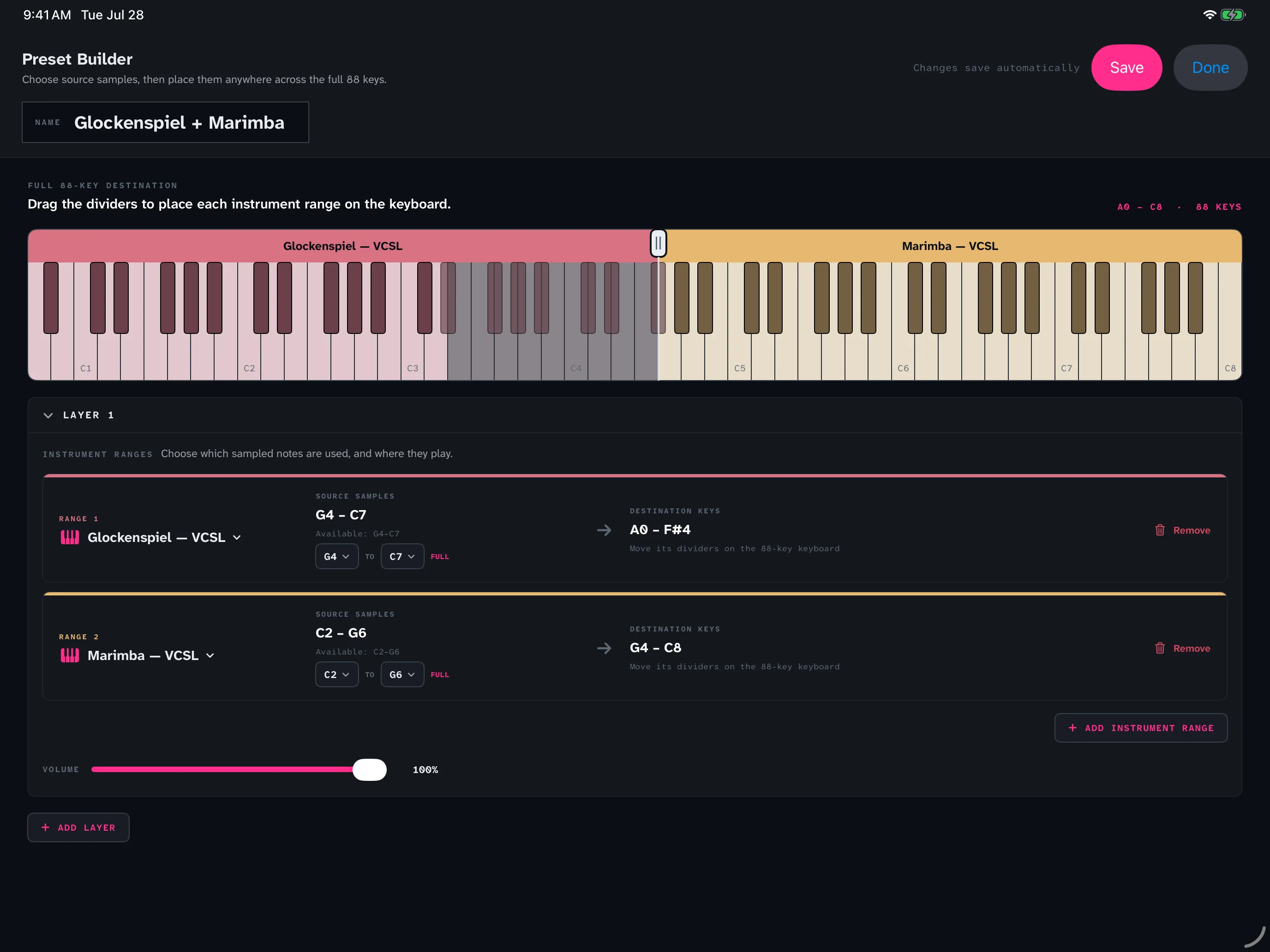
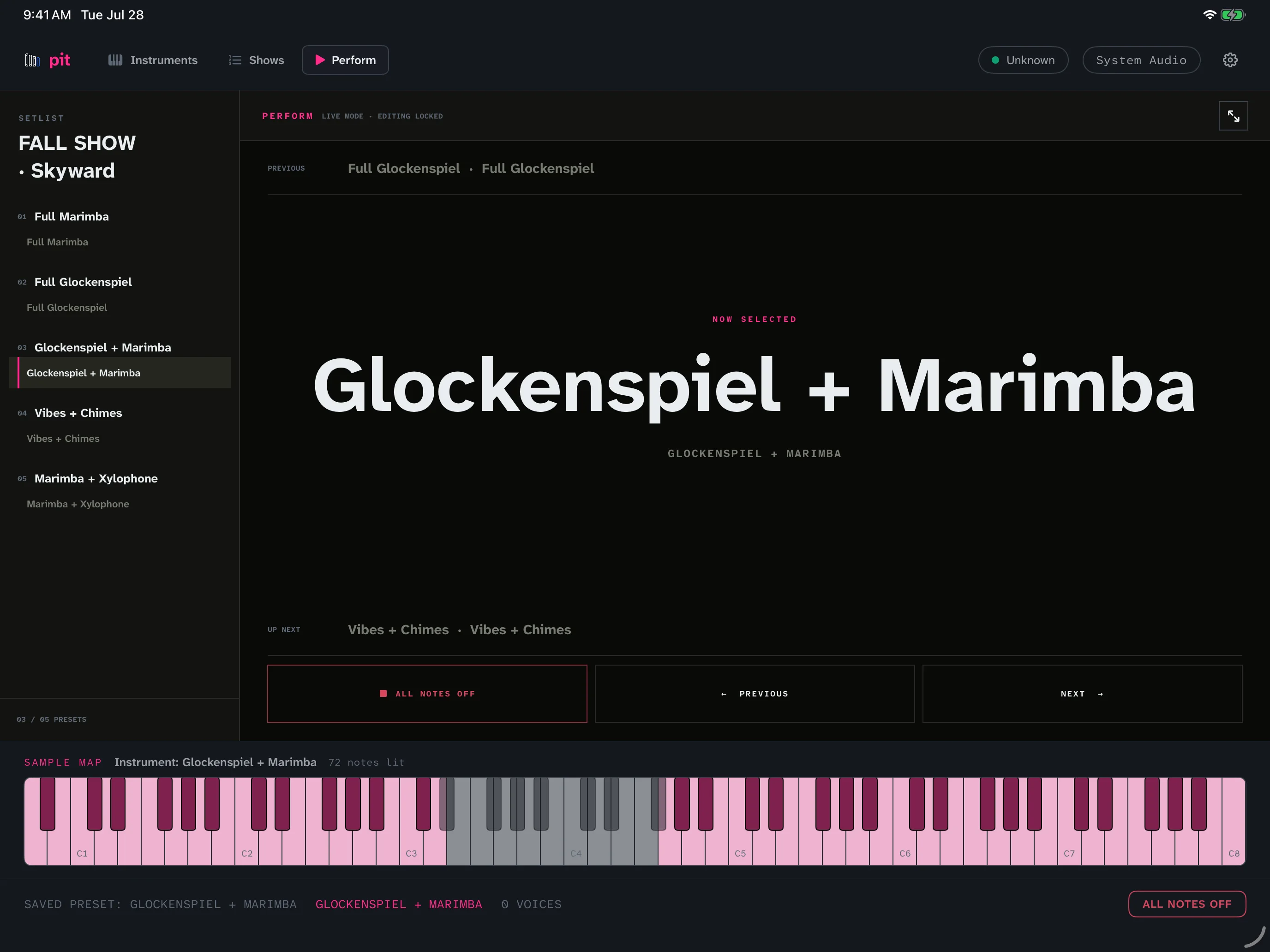
These are the real Pit screens: the complete instrument library, the show builder, flexible keyboard splits, and the stage-ready Perform view.
Mac
iPad
What it does
- The sounds come with the app: marimba, vibraphone, xylophone, glockenspiel, chimes, hand chimes, crotales, and eighteen accessories. Nothing extra to buy, install, or download.
- Split the keyboard by dragging handles — two instruments under two hands.
- A Perform screen you can read from the sideline, with a footswitch to advance songs.
- Vibraphone pedaling works the way your foot expects.
- Save the whole show — songs, sounds, and splits, in order.
- Works completely offline. No account, no internet on the field.
You bought the controller. Now get the instruments.
A lot of front ensembles end up setting up a recording studio on a football field — a laptop, an audio interface, a mixer, software made for producing records. Pit replaces that stack with one app built for performing: load sounds, split the keyboard, hit Perform. Run it without a manual.
Directors don’t want problems. They want answers. Pit is the answer.
The sounds ship inside the app
Pit’s instrument library is part of the download — marimba, vibraphone in soft and hard mallets, xylophone, glockenspiel, chimes, hand chimes, crotales, and eighteen front-ensemble accessories from triangle to gong. There is no sample pack to buy, no separate installer to run, and nothing to download on a school network before the app makes a sound.
Those samples come from the Versilian Community Sample Library (CC0, public domain) and the University of Iowa Electronic Music Studios (free for any use). Neither source requires credit; we give it anyway, and the same credits are in the app under Settings → Sounds & Credits.
Details
| Runs on | Mac · iPad · Chromebook |
|---|---|
| Play it from | any MIDI keyboard or mallet controller (malletSTATION, MalletKAT, or a plain keyboard) |
| Pedals | sustain and expression supported |
| Sounds included | 27 instruments, built into the app |
| Internet needed | never — and it collects nothing |
| Price | see Pricing — waitlist open now |